Why Is My iPhone Alarm So Quiet? 7 Fixes That Actually Work
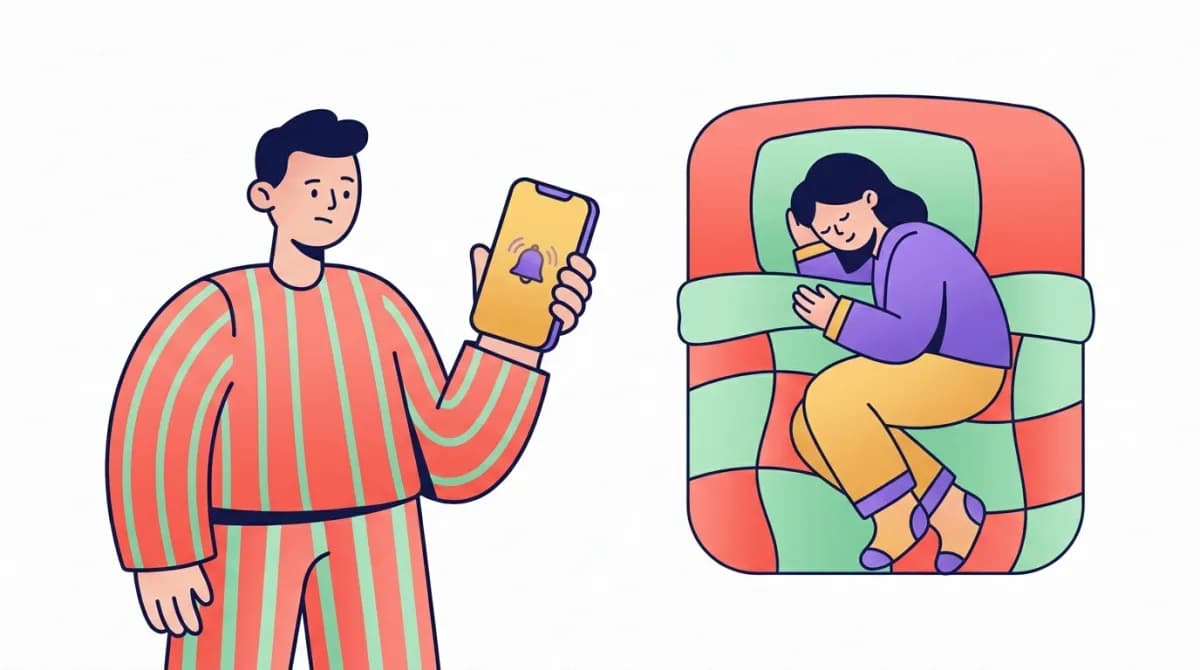
You set the alarm. You heard it when you tested it. And then this morning it went off at roughly the volume of a moth sneezing — or so it felt — and you woke up 40 minutes late wondering what went wrong.
Here's the honest answer: your iPhone alarm is almost never "broken." Alarm volume on iOS is controlled by a handful of settings that are scattered across three different apps, and a couple of them change themselves without asking you. Once you know where they are, the fix takes about two minutes.
Below are the 7 fixes, ordered from most likely culprit to least. If you're in a hurry: fix #2 and #3 solve this for most people.
First, 60 seconds of myth-busting
Two things that do not silence your iPhone alarm, despite what half the internet says:
- The Silent switch. Your alarm rings at full volume even with the orange switch showing. Flipping it is not the problem.
- Do Not Disturb / Focus modes. Alarms from the Clock app override Focus modes by design. Sleep Focus, Work Focus, DND — none of them mute a scheduled alarm. So if your alarm was quiet, the cause is somewhere else. Let's find it.
Fix 1: Check the alarm's sound isn't set to "None"
This sounds too obvious to be the answer, which is exactly why it gets missed. Each alarm in the Clock app has its own sound setting, and "None" is an option — one accidental tap away when you're editing alarms half-asleep.
- Open Clock → Alarms → Edit, tap the alarm.
- Tap Sound and make sure a real tone is selected (not None, and not something whisper-quiet like "Silk").
- While you're there, tap a few tones and pick one that's genuinely loud — more on which tones work best in fix #6. If the sound was set to None, your alarm did "go off" — it just vibrated quietly on the nightstand while you slept through it.
Fix 2: Turn up "Ringer and Alerts" volume (the big one)
iPhone alarms don't use your media volume. They use Ringer and Alerts volume — the same slider that controls your ringtone. If you've been lowering your ringer so your phone doesn't blare in meetings, you've been lowering your alarm too.
- Go to Settings → Sounds & Haptics.
- Drag the Ringer and Alerts slider up to at least 75–80%.
- Look at the Change with Buttons toggle below it:
-
Off (recommended): the volume buttons on the side of your phone can no longer accidentally lower your alarm volume. This is the set-and-forget option.
-
On: your alarm volume changes every time you press the volume buttons — including in your pocket, in your bag, or while fumbling for the phone in the dark.
-
Most "my alarm was quiet for no reason" stories are this slider plus Change with Buttons left on.
Fix 3: Disable Attention Aware Features
If you have a Face ID iPhone, this is the sneakiest cause on the list. Attention Aware Features makes your phone check whether you're looking at it — and if it thinks you are, it automatically lowers the volume of alerts and alarms. The logic is "you're already looking at the screen, no need to shout."
The problem: in a dim bedroom, with your face half-buried in a pillow, Face ID can decide you're "attending" to the phone — and your alarm quietly turns itself down. This is one of the most common reasons an alarm starts loud and then fades to almost nothing.
- Go to Settings → Face ID & Passcode (enter your passcode).
- Scroll to Attention and toggle Attention Aware Features off. Trade-off: notifications will now stay loud when you're looking at the phone. For most people, that's a fine price for an alarm that actually wakes them up.
Fix 4: Disconnect Bluetooth devices before bed
If your iPhone is connected to a Bluetooth device — AirPods charging in their case nearby, a speaker in the bathroom, your car's head unit from the drive home — alarm audio can route to that device instead of the phone's speaker. Your alarm is then "ringing" into a pair of earbuds inside a closed case across the room.
Before bed:
- Swipe into Control Center and tap the Bluetooth icon to disconnect, or
- Take AirPods out of the equation entirely, or
- Just toggle Bluetooth off overnight (your alarm will still work fine). A quick way to diagnose this one: if your alarm sounded "distant" or "muffled," it was probably playing somewhere that wasn't your phone.
Fix 5: Delete the alarm and create a fresh one
There's a long-running iOS quirk — it resurfaces after some updates — where an existing alarm's volume or sound setting silently corrupts. The alarm still fires, but quieter than your settings say it should, or with the wrong tone.
The fix is unglamorous but effective:
- Open Clock → Alarms.
- Delete every alarm (swipe left, or Edit → minus button).
- Restart your iPhone.
- Re-create your alarms from scratch. While you're at it, check Settings → General → Software Update — several alarm bugs have been patched in point releases over the years, and running an old iOS version is an easy way to keep a bug Apple already fixed.
Fix 6: Pick a tone that science says actually wakes you
Not all alarm sounds are equal, and this isn't just preference. Researchers at RMIT University found that melodic alarms — tones you could hum, with an actual melody — produce noticeably less sleep inertia (that groggy, drunk-feeling fog after waking) than harsh beeping. And a sound you can perceive clearly is a sound you're less likely to sleep through or instantly snooze.
Practical picks:
- Choose a tone with a clear melody and a strong attack — "Radar" and "Apex" are harsh but effective; "Waves" and "Silk" are pleasant but easy to sleep through.
- Avoid very low-frequency tones if you keep your phone on a soft surface like a mattress or couch — soft surfaces absorb them.
- Put the phone across the room on a hard surface. You can't hit snooze from bed, and hard surfaces reflect sound instead of swallowing it.
Fix 7: If you use Sleep Schedule, check its separate volume
Apple's Sleep Schedule (the "Bedtime" alarm in the Health app, shown in Clock as the sleep | wake up alarm) has its own volume control, separate from the regular Ringer and Alerts slider. If your regular alarms are loud but your wake-up alarm is quiet, this is why.
- Open Clock → Alarms and tap your sleep | wake up alarm (or open Health → Browse → Sleep).
- Scroll to Alarm Options.
- Set Volume higher and pick a louder sound there too. Note that Sleep Schedule alarms do interact with Sleep Focus — so if you use them, keep them inside Apple's Sleep system rather than duplicating with regular Clock alarms.
Still sleeping through it? The problem might not be the phone
If you've applied every fix and the alarm is genuinely loud — and you still don't wake up — the bottleneck has moved from your iPhone to your sleep. The usual suspects:
- You're waking from deep sleep. If the alarm catches you in N3 (slow-wave) sleep, your brain's arousal threshold is at its highest and even loud sounds get partially ignored. Timing your wake-up to your sleep cycles matters more than raw volume — waking from light sleep feels dramatically easier.
- You're chronically sleep-deprived. Deep sleep pressure makes you harder to wake, full stop.
- You might genuinely be a heavy sleeper — in which case volume alone was never going to solve it. Vibration, light, and multi-stage alarms work better; we compared them all in our honest guide to alarm clocks for heavy sleepers. This is also exactly the problem we built WakeMind to solve: smart alarms that wake you in your lightest sleep stage, tones designed to cut through sleep inertia instead of adding to it, and wake-up missions that make "snooze and roll over" genuinely difficult. Your iPhone alarm is a blunt instrument — it doesn't have to be.
Frequently asked questions
Why does my iPhone alarm start loud then go quiet?
Almost always Attention Aware Features (fix #3): Face ID thinks you're looking at the phone and lowers the alarm volume automatically. Disable it in Settings → Face ID & Passcode.
Does the Silent switch mute my alarm?
No. Clock alarms ring at full volume regardless of the Silent switch.
Does Do Not Disturb or Focus mode silence alarms?
No. Scheduled Clock alarms override all Focus modes, including Sleep Focus.
Why is my alarm quiet only sometimes?
Intermittent quiet alarms point to Bluetooth routing (fix #4) or the Change with Buttons toggle letting the volume drift (fix #2). Fix #5's delete-and-recreate also clears corrupted per-alarm settings.
How loud should my alarm be?
Loud enough to be unmistakable from across the room — around 75–80% on the Ringer and Alerts slider works for most people. If you need 100% to wake up, that's a sign to look at sleep timing and depth, not just volume.
WakeMind is the smart alarm that wakes you up gently at the right moment in your sleep cycle — loud when it needs to be, never when it doesn't. Download on the App Store.
Related Articles

Do Sunrise Alarm Clocks Work? What the Science Actually Says
Sunrise alarm clocks can cut morning grogginess — here's the dawn-simulation science, who they work for (and who still needs sound), and what to look for.
6 min read · Jul 29, 2026

How to Change Your Alarm Sound on iPhone (And Which Tones Actually Wake You Up)
How to change your iPhone alarm sound in 4 steps — plus which stock tones science says wake you up fastest, and how to use any song as an alarm.
6 min read · Jul 29, 2026

Alarm Clocks for Heavy Sleepers When You Have a Roommate (Or Partner)
Loud alarms wake your roommate too. The alarms that wake heavy sleepers without waking anyone else: bed-shakers, watch haptics, sleep headphones, light, and timing.
6 min read · Jul 29, 2026